
Launch branded chat rooms without rebuilding your site.
Cute Chat gives community, education, event, and member-driven sites a full-featured ASP.NET chat experience with moderated sessions, private messaging, file transfer, and deep branding control.
Moderation
Run speaker-led sessions, event broadcasts, and moderated Q&A without extra plugins.
Integration
Connect to your existing member database so users keep the identities and profiles you already manage.
Scale
Built to support large traffic spikes, multiple rooms, and always-on community experiences.
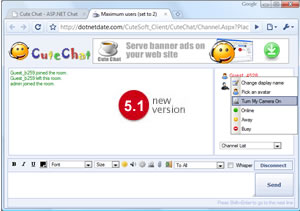
Typical deployments
What teams get
Core capabilities for community and event chat
Easy setup
Xcopy deployment and side-by-side installation help teams get a room online quickly without a long implementation cycle.
High load support
A multi-threaded communications engine is designed for many active rooms and heavy concurrent traffic.
Private and public chat
Combine open room conversation with private messaging, private rooms, avatars, emoticons, and file transfer.
Moderated sessions
Run hosted events where moderators control who can broadcast to the room and when audience participation opens up.
Brand control
Customize the interface, messaging experience, and visual presentation so the service feels native to your product.
Existing member accounts
Tie the chat experience into your existing membership or portal database instead of maintaining a second user system.
Use cases
Built for more than just a simple chat room
Communities
Keep members engaged with persistent rooms, private messages, and brand-aligned social features.
Paid events
Host interviews, author chats, and expert sessions with moderation controls and attendance management.
Education and groups
Support collaboration, office hours, and class discussion directly inside the sites people already use.
Why teams choose Cute Chat
- No need to rebuild your membership or identity stack.
- Deploy self-hosted chat with a user experience that still feels modern.
- Start with a trial, then scale to multi-domain or enterprise licensing.
From install to launch
A practical rollout path for existing ASP.NET sites
1. Deploy
Use the standalone package for a fast launch or integrate directly with your portal, forum, or membership database.
2. Customize
Adjust rooms, moderation settings, visuals, and user flow so the experience matches your product.
3. Scale
Expand to more rooms, higher traffic, or more sites once you have the right usage pattern in place.